> For the complete documentation index, see [llms.txt](https://docs.kirimpesan.net/llms.txt). Markdown versions of documentation pages are available by appending `.md` to page URLs; this page is available as [Markdown](https://docs.kirimpesan.net/getting-started/reset-password.md).
# Lupa Kata Sandi
Jika lupa kata sandi akun KirimPesan, kita dapat melakukan reset password dengan langkah berikut:
***
### **1. Buka Halaman Reset Password**
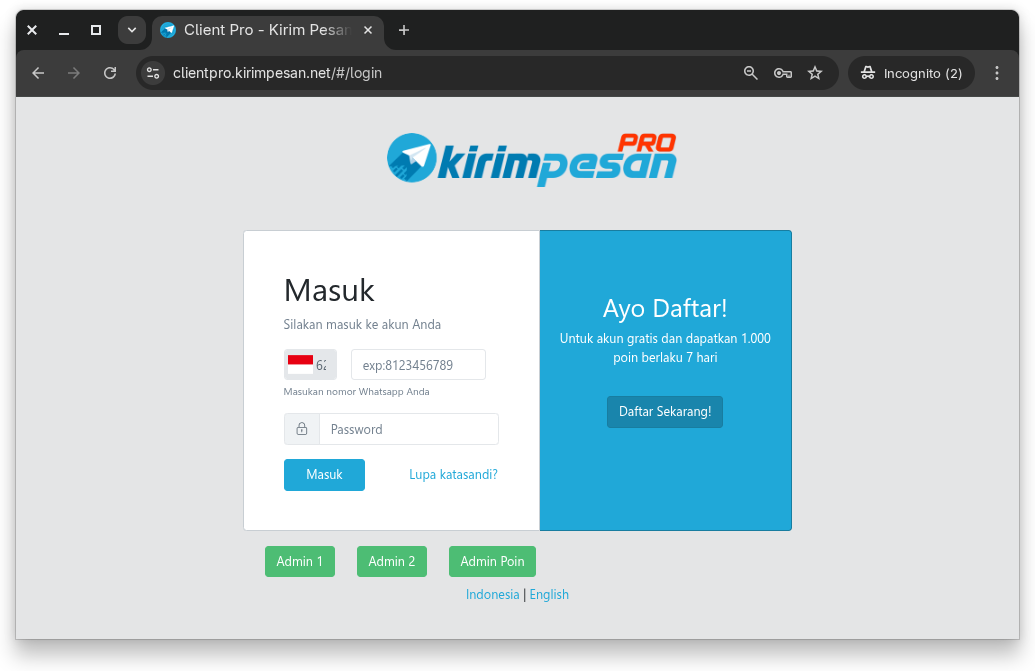
Akses website:
👉 [**https://clientpro.kirimpesan.net**](https://clientpro.kirimpesan.net)
Pada halaman login, klik tombol **“Lupa Kata Sandi?”**.
***
### **2. Masukkan Nomor Akun**
Isi **Nomor WhatsApp** pada kolom yang tersedia, kemudian klik tombol **“Kirim”**.
Jika nomor yang dimasukkan benar, otomatis akan diarahkan ke **halaman Verifikasi**.
***
### **3. Verifikasi Akun**
Untuk melakukan verifikasi:
1. Chat nomor admin yang tertera pada halaman verifikasi.
2. Gunakan **nomor WhatsApp yang sama** dengan nomor yang terdaftar di akun.
3. Kirim pesan dengan format:
```
kodeXXXXXX
```
> *Catatan:* Tidak akan ada balasan atau konfirmasi dari admin.\
> Sistem akan memverifikasi secara otomatis setelah pesan terkirim.
Setelah verifikasi berhasil, halaman akan otomatis berpindah ke **Form Perubahan Password Baru**.
***
### **4. Buat Kata Sandi Baru**
Pada halaman perubahan password:
* Masukkan **kata sandi baru**
* Konfirmasi ulang kata sandi baru
* Klik tombol **“Kirim”**
Jika berhasil, proses reset password selesai dan suda bisa login kembali menggunakan password yang baru.