> For the complete documentation index, see [llms.txt](https://docs.kirimpesan.net/llms.txt). Markdown versions of documentation pages are available by appending `.md` to page URLs; this page is available as [Markdown](https://docs.kirimpesan.net/wa-server/menghapus-wa-server.md).
# Menghapus WA Server
Akun KirimPesan bisa menambahkan hingga 20 WA Server. Jika ingin menghapus salah satu server yang tidak lagi digunakan, ikuti langkah-langkah berikut.
***
### **Cara Menghapus WA Server**
1. Masuk ke halaman **Whatsapp Server** pada dashboard.
2. Pada daftar WA Server, klik tombol **Menu** pada server yang ingin dihapus.
3. Pilih opsi **Hapus**.
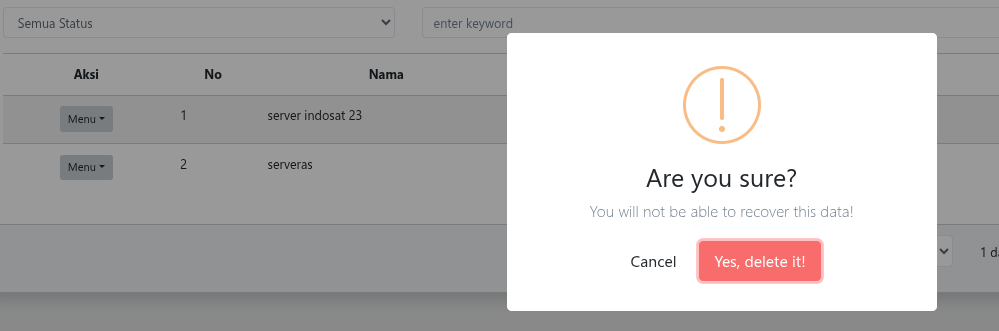
4. Akan muncul prompt konfirmasi.
* Pilih **Iya** untuk melanjutkan penghapusan.
* Pilih **Batal** jika tidak ingin menghapus.
5. Setelah dikonfirmasi, WA Server akan terhapus dari daftar.
***
Proses penghapusan selesai dan WA Server tersebut tidak lagi muncul di daftar. Jika diperlukan, dapat menambah WA Server baru kapan saja.